
Meetings
Meeting Minutes Email That Gets Every Action Confirmed
Published September 27, 2026
 Meeting Minutes Email That Gets Every Action ConfirmedWatch on YouTube, 0:40Sep 27, 2026VideoScriptPractice sheet
Know Exactly What to Say
The full script is below, word for word, for when the meeting ends and the next steps have to be clear. Copy it, change the names and dates, and it is ready to send or say.
Practice It Before the Real Conversation
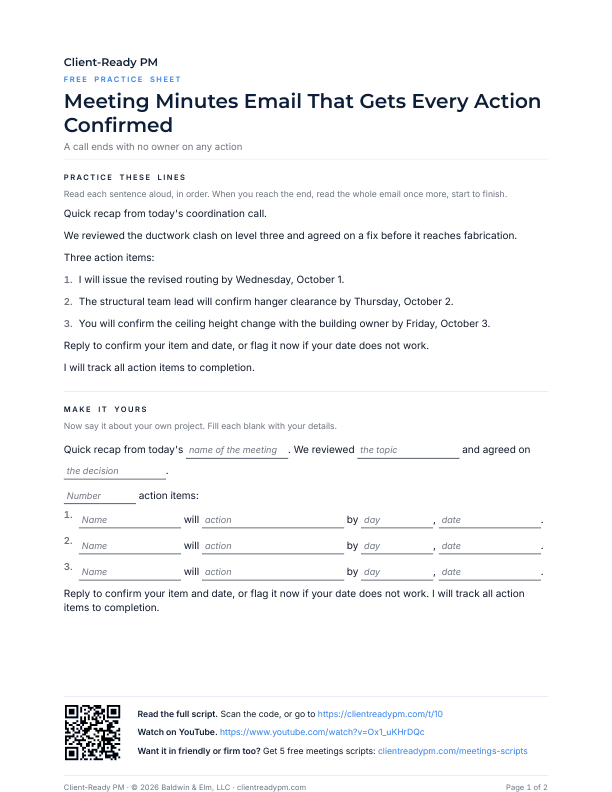
A printable PDF. Say the lines out loud, then fill in your own project's names and dates, so the words are yours before the client is on the line.
Download the practice sheet (PDF)How to Use a Script
Four steps:
- Watch the video once.
- Copy the script. Change the names, dates, and numbers to match your project.
- Say it out loud until it sounds like you. Use the practice sheet if the page has one.
- Use it in the real conversation, in the email or on the call.
The Script
Word for word, as said in the video. Copy it and change the names, dates, and numbers to match your project.
ScriptMeeting Minutes Email That Gets Every Action Confirmed
Quick recap from today's coordination call. We reviewed the ductwork clash on level three and agreed on a fix before it reaches fabrication. Three action items:
- 1. I will issue the revised routing by Wednesday, October 1.
- 2. The structural team lead will confirm hanger clearance by Thursday, October 2.
- 3. You will confirm the ceiling height change with the building owner by Friday, October 3.
Reply to confirm your item and date, or flag it now if your date does not work. I will track all action items to completion.

Free script pack
Get the Free Meetings Script Pack
The next conversation will not sound like this one. The free Meetings pack gives you five more scripts for when the meeting ends and the next steps have to be clear, each in friendly, neutral, and firm versions, so the right words are ready before you need them.
The Meetings pack is almost ready. Join the newsletter on the home page and it reaches your inbox the day it is.
Join the newsletter